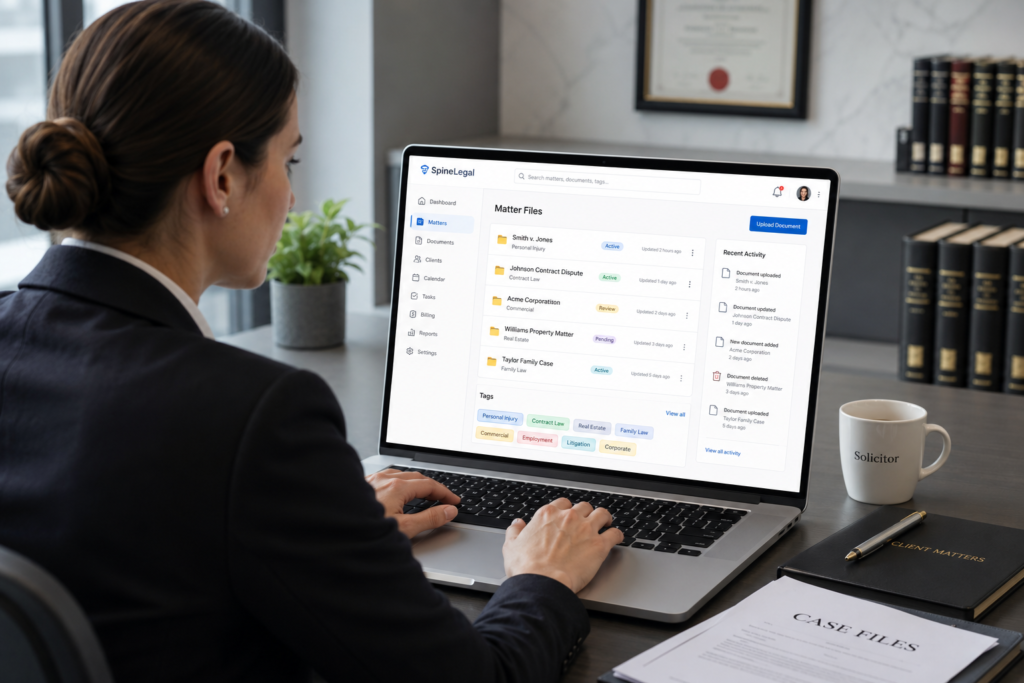
Choosing the right legal document management software has become one of the most consequential decisions a modern practice can make. Documents sit at the heart of every matter, every client relationship, and every regulatory obligation. Therefore, the system you select must do far more than store files. It must safeguard confidential information, accelerate everyday workflows, and support the way solicitors actually work.
Furthermore, expectations from clients have shifted. They want faster responses, transparent updates, and watertight confidentiality. Meanwhile, fee-earners want fewer manual tasks and more time for substantive legal work. A capable platform bridges this gap. Below, we examine the features that genuinely matter when evaluating a solution for your firm.
Law firms generate enormous volumes of correspondence, contracts, pleadings, and disclosure bundles. However, most still rely on a patchwork of shared drives, email threads, and ageing folder structures. This approach creates risk. It also slows fee-earners down and frustrates clients.
A purpose-built platform centralises everything. It applies consistent metadata, version control, and access rules. Consequently, every team member works from a single source of truth. According to the International Bar Association’s guidance on cybersecurity, legal practices must adopt strong information governance to meet professional duties. Modern software makes that achievable without slowing the team.
In short, document management is no longer a back-office utility. Instead, it is operational infrastructure. The right choice protects revenue, reputation, and regulatory standing all at once.
The first feature to look for is true matter-centricity. Every document, email, note, and attachment should attach to the correct matter automatically. As a result, fee-earners stop hunting for files. Instead, they open a matter and see everything in one place.
Look for these capabilities:
Additionally, a strong system enforces naming conventions. Therefore, search results stay clean and audits become straightforward.
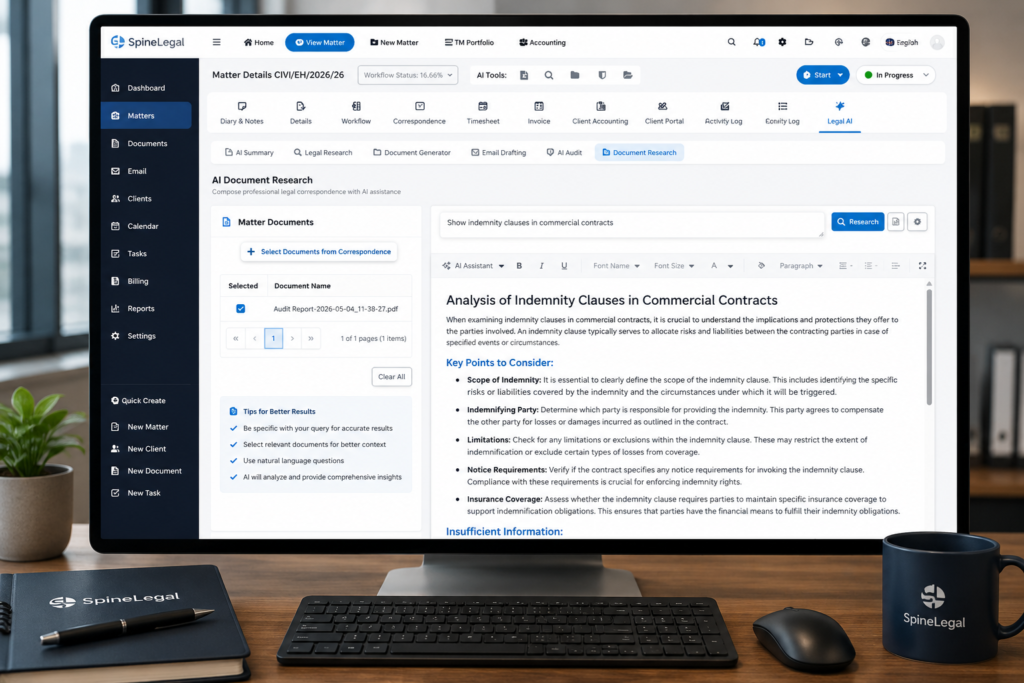
Search separates a good system from a great one. Legacy filename searches simply do not scale. Modern legal document management software indexes every word, every clause, and every metadata field. Consequently, you can find a precedent in seconds rather than minutes.
The next leap is AI. SpineLegal’s Document Research feature scans the entire matter library to surface relevant clauses, case files, and prior advice. Meanwhile, AI Summary condenses long bundles into concise briefings. Therefore, fee-earners enter meetings prepared without burning hours on review.
Documents evolve. Drafts change hands between partners, paralegals, and clients. Without proper controls, version confusion creates real risk. However, a mature platform records every edit, every approval, and every download.
Strong version control should include:
In addition, an AI Audit layer can flag unusual activity, missing signatures, or inconsistent clauses. Therefore, supervisors catch problems before they reach the client.
Confidentiality is non-negotiable. Therefore, evaluate security with the same rigour you apply to any vendor. The platform should encrypt data both in transit and at rest. Additionally, it should support multi-factor authentication, single sign-on, and role-based access controls.
Compliance frameworks matter too. Look for ISO 27001 certification and alignment with data protection regulations. The European Data Protection Board publishes guidance that sets a useful benchmark for cross-border data handling. Consequently, a vendor who meets these standards protects you against regulatory scrutiny.
Other security features worth checking include:
Manual drafting wastes fee-earner time. Therefore, automation belongs at the centre of any modern platform. SpineLegal’s Document Generator creates polished letters, contracts, and pleadings from approved templates. Variables pull directly from matter data, so errors drop sharply.
Look for these automation capabilities:
As a result, junior staff produce work that looks identical to senior output. Meanwhile, partners spend their time on judgement, not formatting.
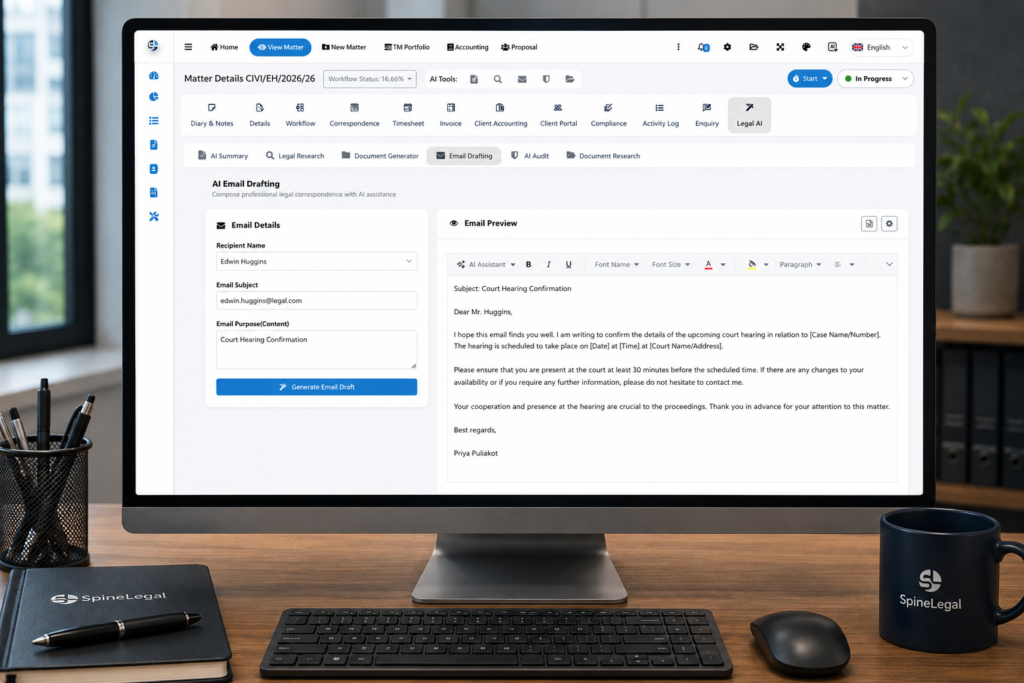
Email remains the dominant channel in legal work. However, important messages too often live in personal inboxes rather than the matter file. A strong platform fixes this. It captures incoming and outgoing email, profiles it to the right matter, and indexes it for search.
In addition, AI features now extend to drafting. SpineLegal’s Email Drafting tool produces context-aware replies grounded in the matter file. Therefore, fee-earners respond faster while keeping tone and accuracy consistent. Meanwhile, partners maintain oversight through review queues.
Documents do not exist in isolation. Each one triggers tasks, deadlines, and approvals. Consequently, your platform must orchestrate these workflows. Look for visual workflow builders that map common processes such as client onboarding, conflict checks, and matter closure.
Useful workflow features include:
As a result, nothing slips through the cracks. Furthermore, supervisors gain real-time visibility into team capacity.
Research and document drafting are deeply connected. However, most firms still treat them as separate disciplines using separate tools. A unified platform changes that. SpineLegal’s Legal Research module sits alongside the matter file. Therefore, fee-earners can pull authorities, statutes, and commentary without leaving the workflow.
This integration delivers practical benefits:
Modern matters often span multiple parties. Therefore, the platform must support secure external collaboration. Client portals allow shared access to documents, status updates, and signed copies. Meanwhile, granular permissions ensure outsiders only see what they should.
Useful collaboration features include:
Consequently, clients receive a premium experience while the firm retains complete control over confidential material.
Fee-earners rarely sit at a single desk. They appear in court, attend client meetings, and travel. Therefore, mobile access has shifted from a nice-to-have to a daily necessity. However, mobile must not weaken security.
Look for native applications that offer:
In addition, a polished mobile experience helps with recruitment. Younger lawyers expect tools that match the consumer technology they use every day.
Data should drive decisions. However, many firms operate on instinct because their systems do not surface useful insights. A capable platform changes this. It produces dashboards on matter progress, fee-earner utilisation, and document turnaround times.
AI Audit features go further. They review the firm’s documents at scale and flag risks before they escalate. For example, the system can identify contracts missing key clauses or matters with unusual activity patterns. Therefore, risk and compliance teams move from reactive to proactive.
Useful analytics include:
No platform exists in isolation. Therefore, integrations matter. Your document management system should connect cleanly to your accounting platform, time recording, e-signature, and identity verification tools. Open APIs make this possible.
Look for prebuilt connectors to:
As a result, data flows automatically across systems. Consequently, fee-earners stop re-keying information and the risk of human error drops.
Even the best software fails without strong adoption. Therefore, evaluate vendors on their implementation methodology. Ask about migration tooling, training resources, and ongoing support. A vendor who has migrated similar firms understands the pitfalls.
Practical questions to ask:
Furthermore, ask for client references in your size bracket. A solo practice has different needs from a fifty-partner firm. The right vendor understands both.
The features above represent the operational backbone of a modern legal practice. However, no firm needs every feature on day one. Instead, prioritise based on the work you do most often. A litigation-heavy firm will weight disclosure tools and matter timelines. Meanwhile, a corporate practice will care more about clause libraries and contract automation.
Therefore, the right legal document management software is the one that aligns with how your team works today and scales with where it is going. SpineLegal delivers all of these capabilities in a single, AI-powered platform built specifically for modern legal practices. To see how it could fit your firm, explore our legal practice management overview or read more about our AI legal tools.
See SpineLegal in action with a personalised demonstration. Our team will walk you through the features that matter most to your practice and show you how AI-powered document management can save your fee-earners hours every week.
Book a meeting with our team to schedule your tailored demonstration.
Whether you run a solo practice or a multi-office firm, we will show you a clear path from your current setup to a modern, integrated platform.
What is legal document management software?
Legal document management software is a specialised platform that stores, organises, and protects the documents a law firm creates and receives. It applies version control, search, security, and workflow automation. Consequently, fee-earners spend less time on administration and more time on substantive legal work.
How does AI improve legal document management?
AI accelerates the work that fee-earners find most repetitive. For example, AI Summary condenses long bundles, Document Research surfaces relevant clauses, and Email Drafting prepares context-aware replies. Therefore, the team produces higher-quality work in less time while supervisors maintain oversight through audit trails.
Is cloud-based legal document management secure enough for confidential matters?
Yes, when the platform follows recognised standards. Look for ISO 27001 certification, end-to-end encryption, multi-factor authentication, and granular access controls. In addition, evaluate the vendor’s data residency options and breach notification policies. A reputable cloud platform usually offers stronger security than a self-managed server.
How long does it take to implement legal document management software?
Implementation timelines vary by firm size and complexity. A solo practice can go live in a few weeks. Meanwhile, a mid-sized firm typically completes migration within two to four months. The vendor’s tooling, your data hygiene, and the level of training all influence the timeline. Therefore, choose a partner with proven experience in firms similar to yours.