
What Is Conveyancing Software?
Conveyancing is the legal process of transferring property ownership from one party to another. It covers contracts, searches, funds, tax and registration. Each stage has its own deadlines, so a missed step can delay completion or put the client at risk.
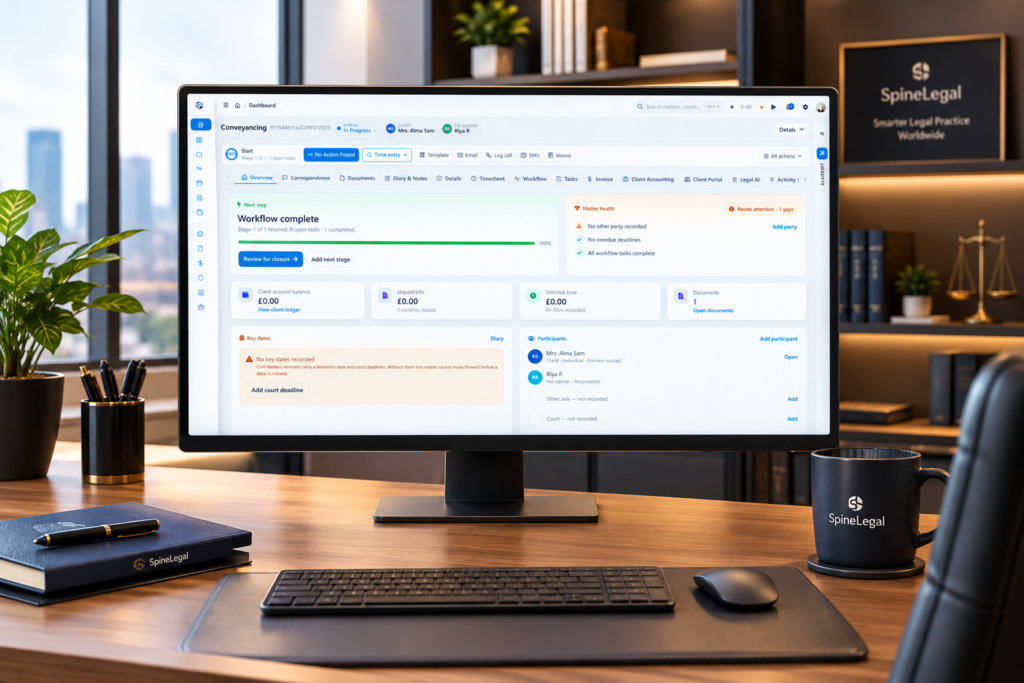
Conveyancing software brings those stages into one workflow. For example, a firm can open a matter, send a quote, order searches and track progress in the same place. In short, it replaces scattered spreadsheets, email threads and paper diaries with a single record of every property matter. You can read more about our conveyancing case management software on its product page.
Key Features of Conveyancing Software
The best systems combine case management, document handling, communication and accounting. Look for these core features:
- Matter management: Track every purchase, sale, remortgage and lease from instruction to completion, with tasks and deadlines.
- Document automation: Generate contracts, letters and forms from templates, so fee earners avoid retyping the same details.
- Search and registry integrations: Order searches and connect to HM Land Registry from inside the matter.
- Identity and AML checks: Run ID verification, anti-money laundering and source-of-funds checks within the workflow.
- Client portal: Let clients share documents, sign forms and follow progress online.
- Legal accounting: Link client money, billing and time recording to each matter.
- Reporting: Show workloads, bottlenecks and file status to supervisors and managers.
Together, these features reduce manual re-keying. Consequently, teams can handle more matters without losing control of quality.
Benefits of Conveyancing Software
Firms adopt conveyancing software for four practical reasons.
Faster, More Consistent Matters
Standard workflows mean every file follows the same steps. Automated tasks and reminders keep matters moving, while templates remove repetitive drafting. As a result, firms can cut delays caused by missed steps and keep file quality consistent across the team.
Fewer Errors and Lower Risk
Data entered once flows into forms, letters and statements. Therefore, there is less chance of a typing error reaching a client or lender. In addition, an audit trail shows who did what and when, which supports supervision and file reviews.
Clearer Client Communication
Clients no longer need to phone for news. Instead, they can check progress, message the team and share documents through a secure portal. This builds trust and frees staff from routine status calls.
Better Use of Fee-Earner Time
Automation handles the repetitive work. Meanwhile, solicitors and conveyancers can focus on advice, negotiation and complex issues. Cloud access also lets teams work on the same file from any location, which supports flexible working and business continuity. Over time, lower admin costs and happier clients can lead to more referrals and repeat instructions.
Conveyancing Software and the UK Process
SpineLegal serves law firms worldwide, but many conveyancing teams work in England and Wales. The stages below show where software helps most. Other jurisdictions follow similar steps under local rules.
Stamp Duty Land Tax (SDLT)
In England and Northern Ireland, the buyer must file an SDLT return and pay any tax within 14 days of the effective date, which is usually completion. HMRC explains how to send a Stamp Duty Land Tax return, and it links to separate guidance for Scotland and Wales. Good software lets you submit the return from the matter and keep the SDLT5 certificate on the file.
Property Searches
Searches reveal issues such as local authority records, environmental risks and title problems before exchange. Integrated search providers let you order and receive results inside the matter. Consequently, results stay with the file, and the team can see at a glance what is still outstanding.
ID and AML Checks
Conveyancing carries money laundering risk, so firms must run customer due diligence on each client. This usually includes verifying identity and, for buyers, checking the source of funds. Built-in checks keep the results on the matter. Furthermore, a consistent process makes it easier to show a regulator what you did and why. Software supports compliance, but it does not replace your firm’s own risk assessment.
Completion and Client Money
On completion day, funds move quickly. The SRA Accounts Rules require firms to keep client money separate from their own money and pay it promptly into a client account. They also require a reconciliation at least every five weeks. When accounting sits inside the case system, completion statements and ledgers can draw on the same matter data.
Registration After Completion
After completion, the buyer’s conveyancer applies to HM Land Registry to register the new owner. The application must arrive within the priority period given by the pre-completion official search, so the deadline needs close tracking. Reminders and checklists help teams avoid missed dates.
Conveyancing Standards and Accreditation
In England and Wales, many firms seek accreditation under the Law Society’s Conveyancing Quality Scheme. The Law Society describes it as a recognised quality standard for SRA-regulated firms in residential conveyancing. It covers competence, risk management and client service levels.
Software cannot grant accreditation, because firms apply to the Law Society themselves. However, a structured workflow helps teams follow their own procedures consistently. Check the current scheme requirements with the Law Society before you apply.
How SpineLegal Supports Conveyancing
SpineLegal is a cloud-based legal practice management platform with configurable workflows for purchase, sale, remortgage and lease matters. Here is how the main tools fit together:
- Quotes and templates: Each conveyancing workflow can start with a fee quote, and templates generate documents for every case.
- SDLT: The SDLT integration lets teams submit returns from the workflow and attaches the SDLT5 certificate to the case.
- Searches and identity checks: Integrations connect to search providers, while the Thirdfort integration covers ID, AML and source-of-funds checks. See all legal software integrations.
- Client portal: The legal client portal lets clients share documents, track progress and message the team securely. SMS text updates sit alongside it.
- Accounting: Our legal accounting software covers client accounting, billing and time recording in the same system.
- AI assistance: LegalAI can help draft documents and summarise cases, and a fee earner reviews the output.
How to Choose the Right Conveyancing Software
Start with your caseload. Large, complex matters may need advanced workflow tools, while smaller firms may prefer a simpler system. Then compare these points across providers:
- Fit with your process: Can you configure workflows for your matter types and for lender or panel requirements?
- Integrations: Does it connect with search providers, HM Land Registry, ID checking and your accounting?
- Security: Ask about encryption, two-factor authentication and data backups.
- Support and training: Check onboarding, training and ongoing help.
- Total cost: Include licences, set-up, add-ons and support.
Cloud, on-premise and hybrid options exist across the market, so confirm what each provider offers. Finally, ask for a live demo on your own matter types.
Book a Conveyancing Software Demo
A live demo is the quickest way to judge usability. You will see workflows, document automation and the client portal working together on your own matter types. Furthermore, our team can answer questions about integrations and set-up. Book a 15-minute call to see SpineLegal in action.
Frequently Asked Questions
What is conveyancing software?
Conveyancing software is a case management system built for property transfers. It organises matters, documents, searches, funds and client updates in one place. Many systems also automate forms, track deadlines and connect to registries and ID checks. As a result, firms reduce manual work and keep a clear record of every transaction.
How does conveyancing software streamline the conveyancing process?
It automates repetitive work such as document generation, reminders and client updates. Task lists show what is due next, while notifications keep every party informed. Because data is entered once and reused, there is less re-keying and fewer errors. Consequently, matters move forward with fewer delays.
Which features should you look for in conveyancing software?
Prioritise matter management, document automation, search and registry integrations, identity and AML checks, a client portal and integrated accounting. Ease of use matters too, because staff adopt systems that work the way they expect. Finally, check reporting, security and support so the system can grow with your caseload.
How do you choose the right conveyancing software?
Begin with your caseload, matter types and budget. Next, compare integrations, security, training and support, and include licence, set-up and add-on costs. Then book a demo and test the system on a real matter type. This shows how well it fits your workflow before you commit.
Can conveyancing software help with SDLT, searches and AML checks?
Yes, when it integrates with the right services. Firms can submit Stamp Duty Land Tax returns, order searches and run identity and source-of-funds checks from within the matter. Results stay on the file for supervision. However, software only supports your compliance process. Risk assessments and regulatory obligations remain with the firm.
Can conveyancing software use AI automation?
Yes. Automation handles routine tasks such as document generation, reminders and status updates. AI tools can also help draft documents and summarise cases. However, a qualified fee earner should always review the output before it reaches a client or third party. Used this way, AI saves time without replacing professional judgement.

